Product tour
Run your whole learning center from one screen
Check-in, weekly schedules, daily class plans, classwork and homework, progress, reports, tuition and staff hours, built for math and reading centers and the people who run them.
One tap
to check a student in or out
One click
to renew next month's schedule
Every worksheet
tracked, by level and packet
Your data only
each center is private
Front desk
Today's roster, at a glance
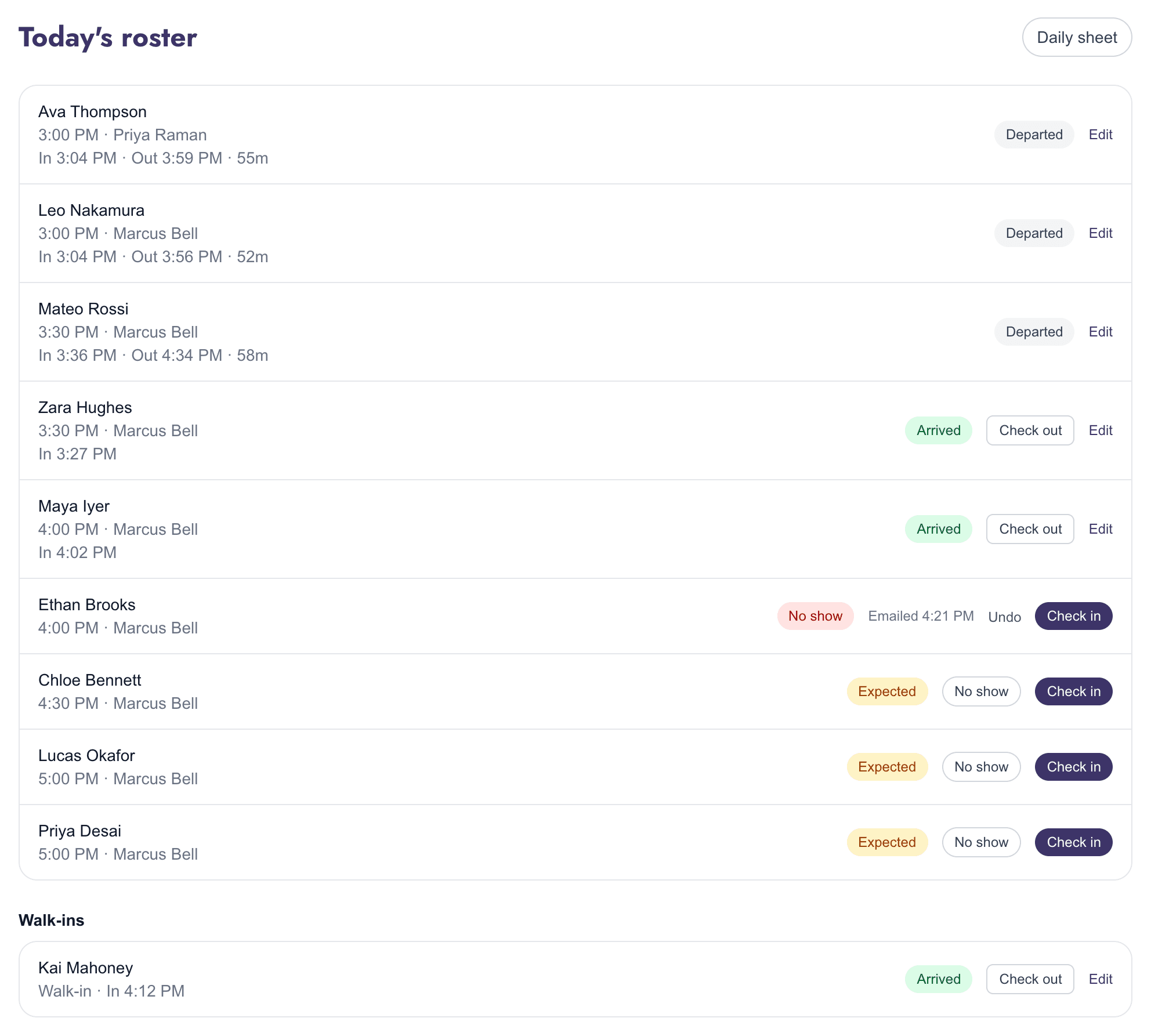
Everyone expected today, in time order, with their instructor. Check students in and out with one tap, and see exactly when each one arrived and left.
- Actual check-in and check-out times, with the length of each visit
- Walk-ins checked in from a quick name search
- Mark a no-show and the guardian gets a friendly email automatically
- Admins can correct a time if someone forgot to check out
Daily sheet
Print the day's work for every student
Give each student a class plan: a full or half packet a day, with each packet repeated two or three times. The daily sheet then lists today's classwork and the homework for every day until their next class, and prints the whole day on one page for your team.
- Homework counted to the next booked class, skipping days off
- Worksheet numbers exactly as printed on the sheets
- Check each student's last work on screen, change any packet, then assign it all in one click

Scheduling
A weekly schedule that fills itself in
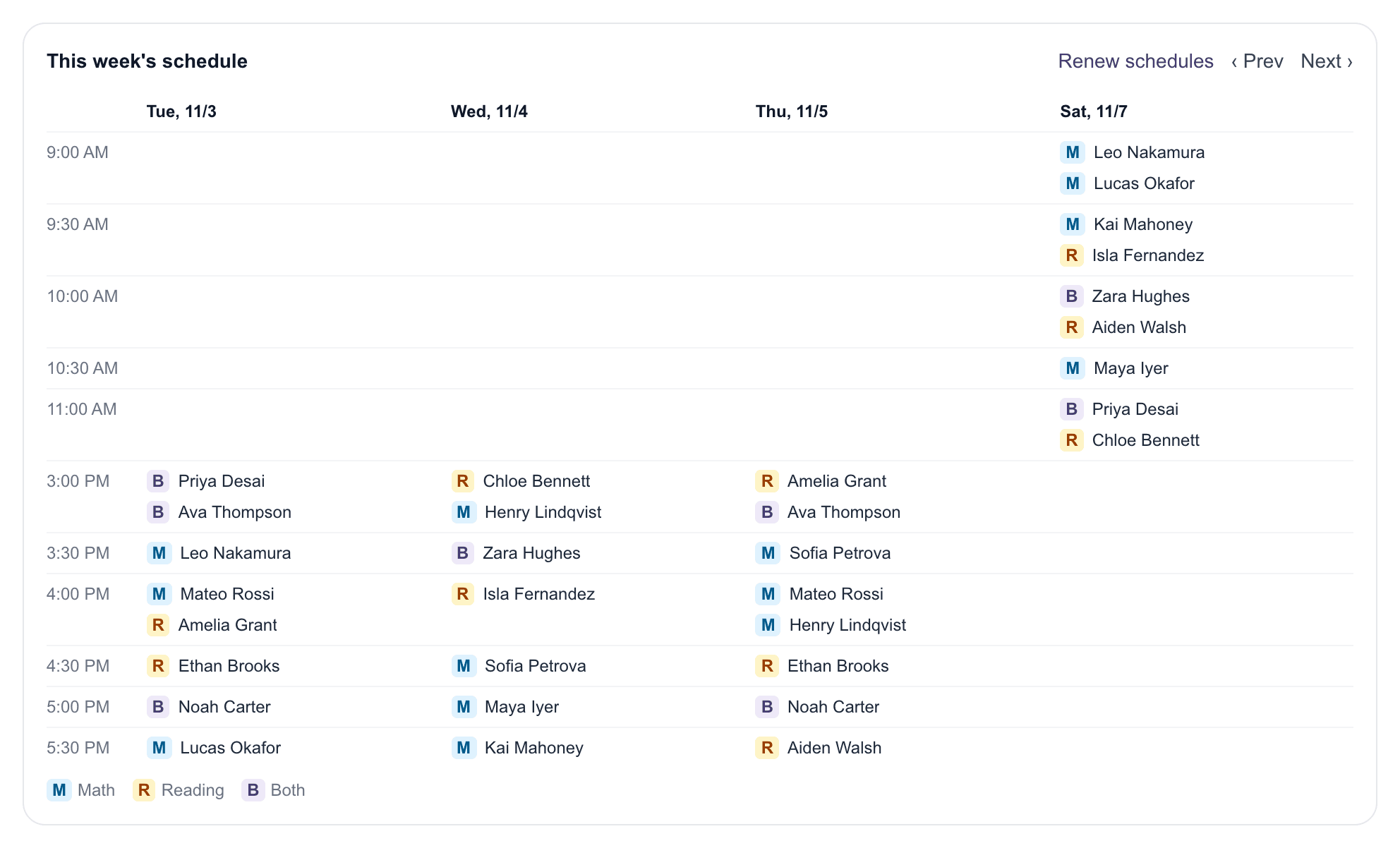
Each student's regular weekly slots become real sessions on the calendar. The week view shows every class day by time slot, with Math, Reading and combined visits marked.
- Book a combined Math + Reading visit as one session
- Reschedule or cancel a single session without touching the rest
- Assign instructors per session
Month-end
Renew next month in one click
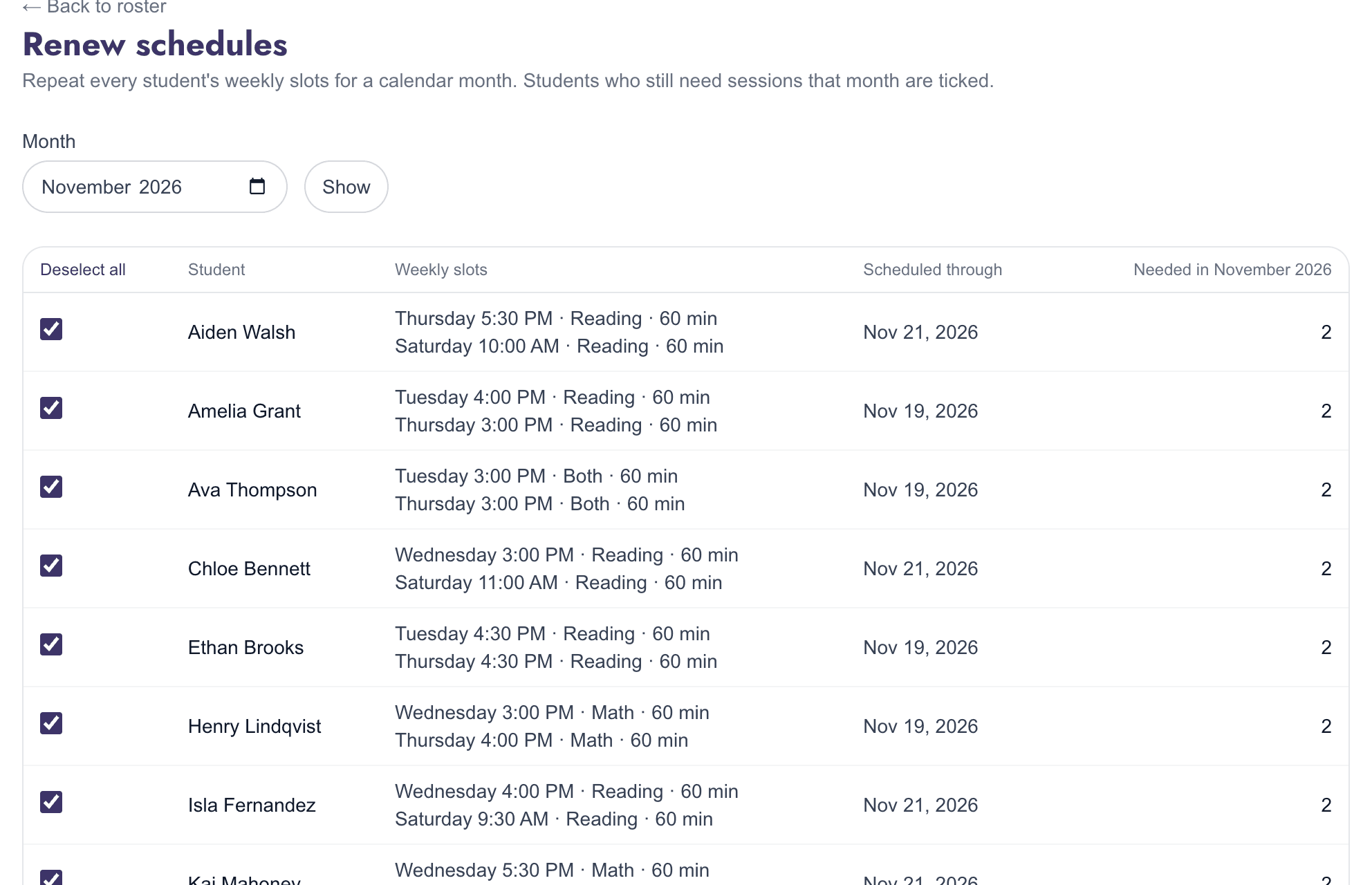
No more re-entering every student's schedule each month. Pick the month and AceLearningAcademy lists who still needs sessions, with their weekly slots, ready to renew in one step.
- Skips weeks that are already booked and avoids double-booking
- Renew the whole center at once, or one student at a time
- End a weekly slot when a student changes days
Classwork & homework
Assign the next packet without looking it up
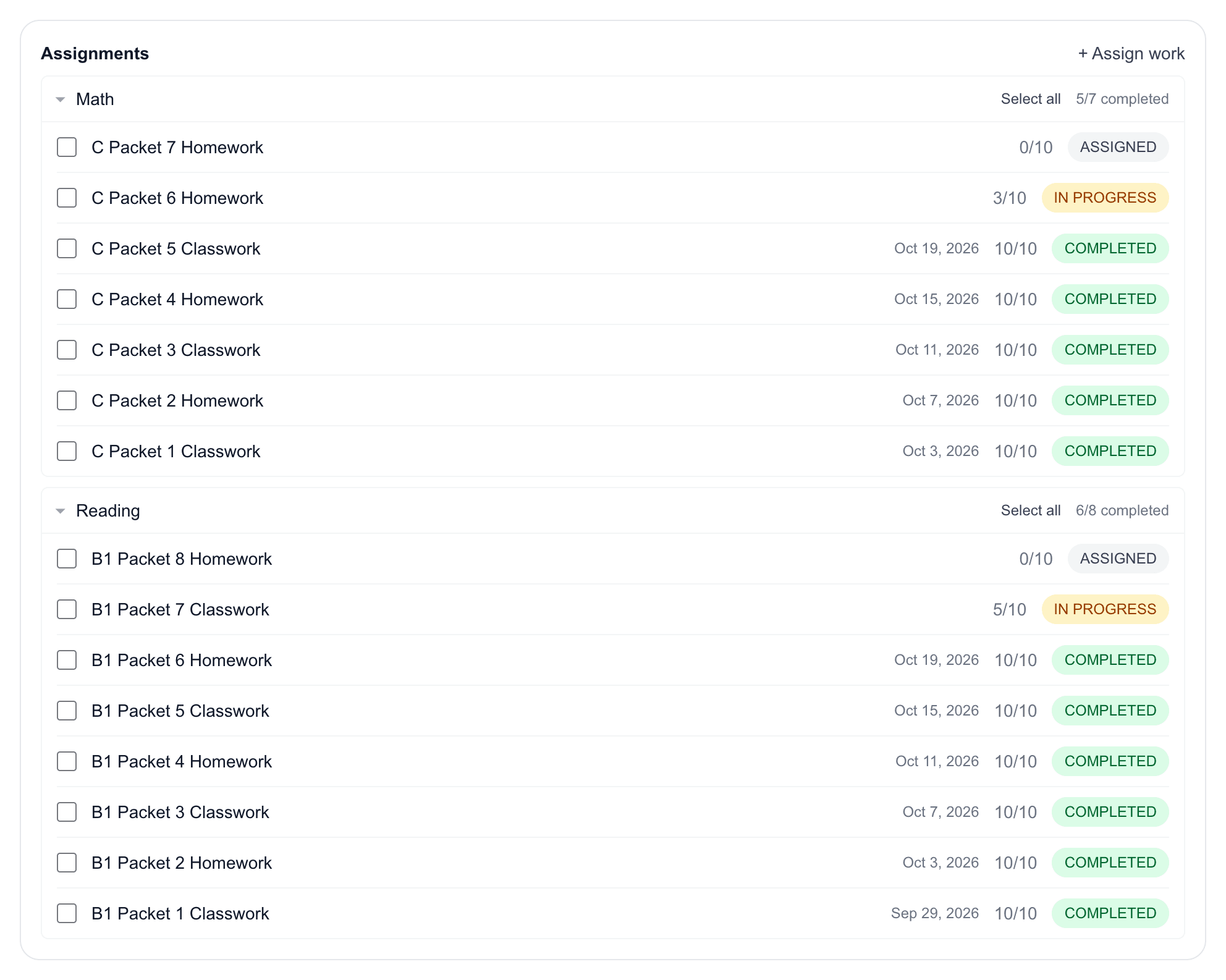
Each student's work is grouped by subject and level. The next packet is picked for you, and completion is tracked worksheet by worksheet.
- Classwork and homework, with completion dates
- Mark several assignments complete at once
- Optional score notes on any worksheet
Progress
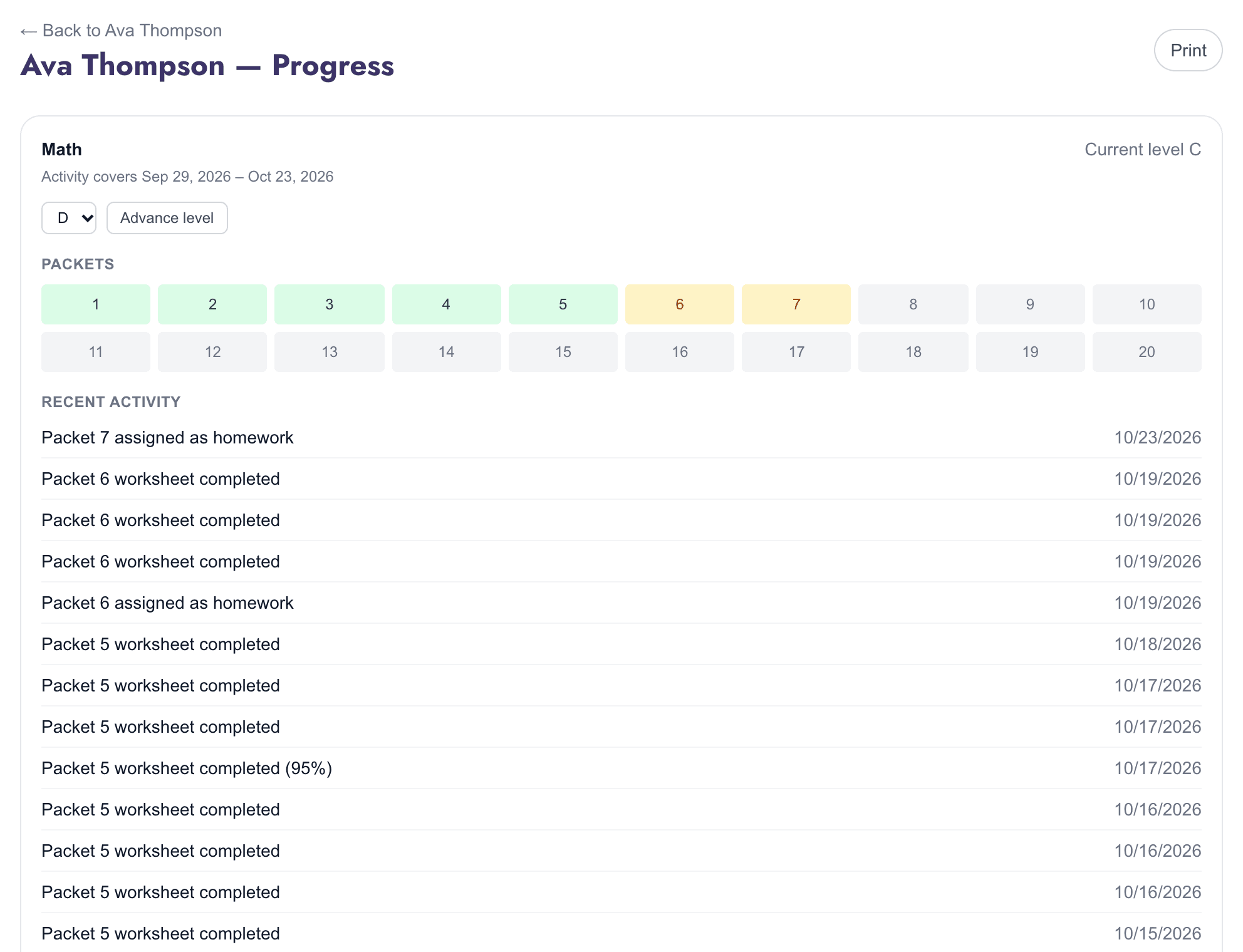
Progress you can show parents
See which packets are done and in progress at a student's current level, their recent activity, and a dated history of every level they've moved up. Print it for a parent conversation.
- Packet-by-packet view of the current level
- Level advancements approved and recorded by staff
- Clean printable layout
Reports
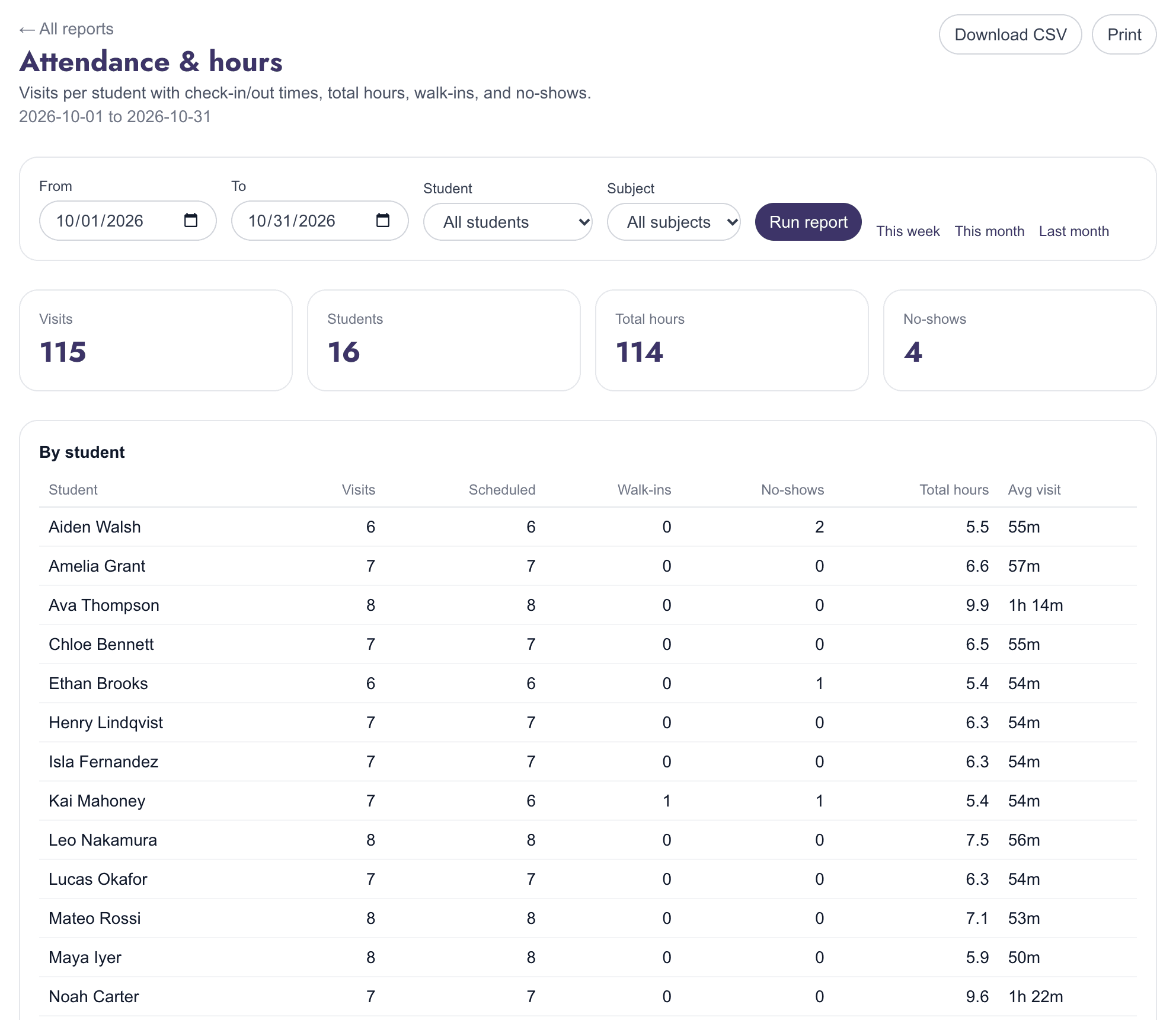
Answers in seconds, not spreadsheets
Attendance and hours, assignments and work completed, level progress, and sessions per instructor, for any date range, student or subject.
- Visits, total hours, walk-ins and no-shows per student
- Download any report as CSV, or print it
- This week, this month and last month in one click
Tuition
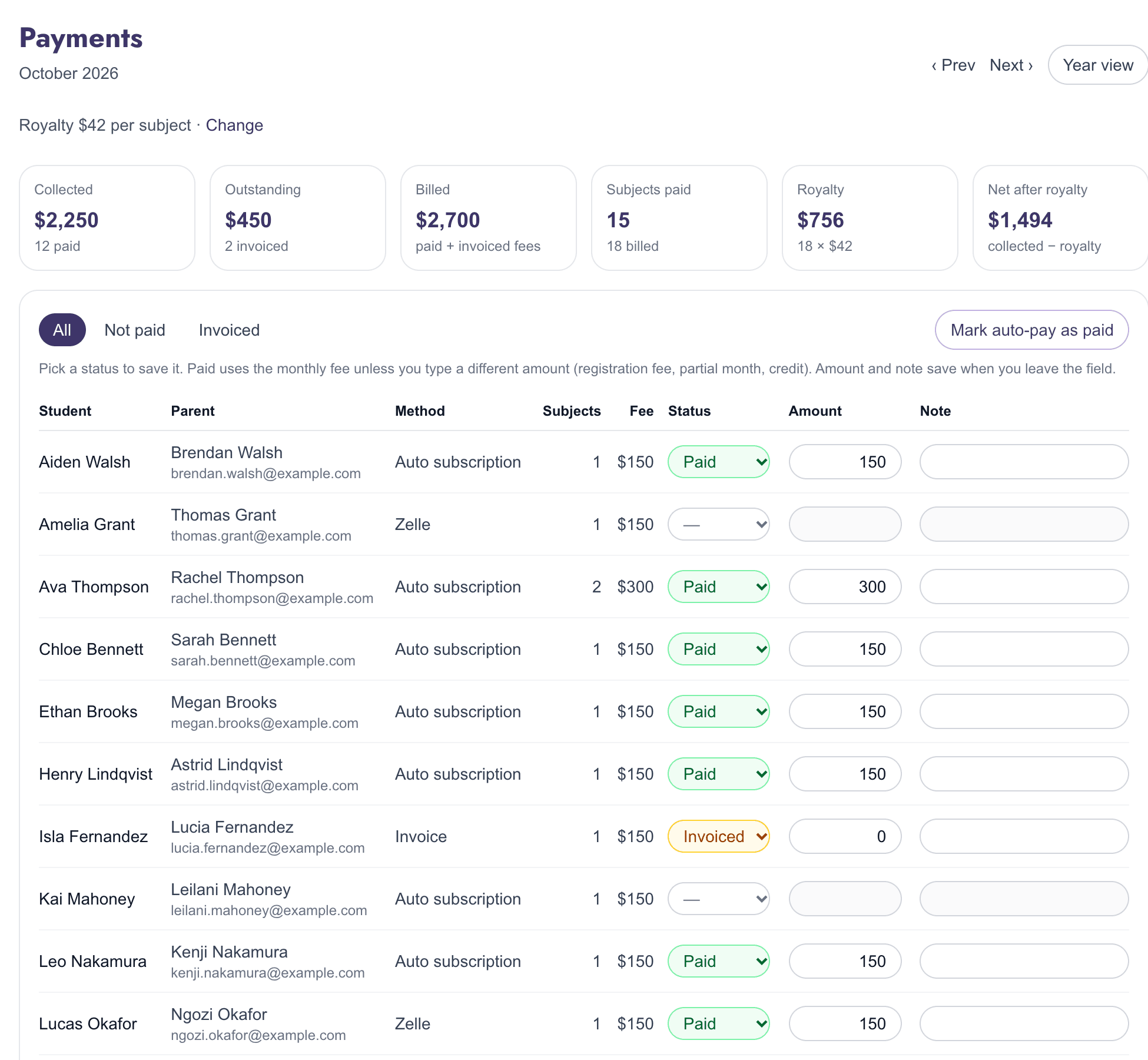
Know who has paid this month
Keep each family's monthly fee and how they pay with the student, then record each month as paid, invoiced or not applicable. No separate spreadsheet to keep in sync.
- Mark every auto-pay family as paid in one click
- Collected, outstanding, royalty and net after royalty at a glance
- A year view of every student and month, downloadable as CSV
Your team
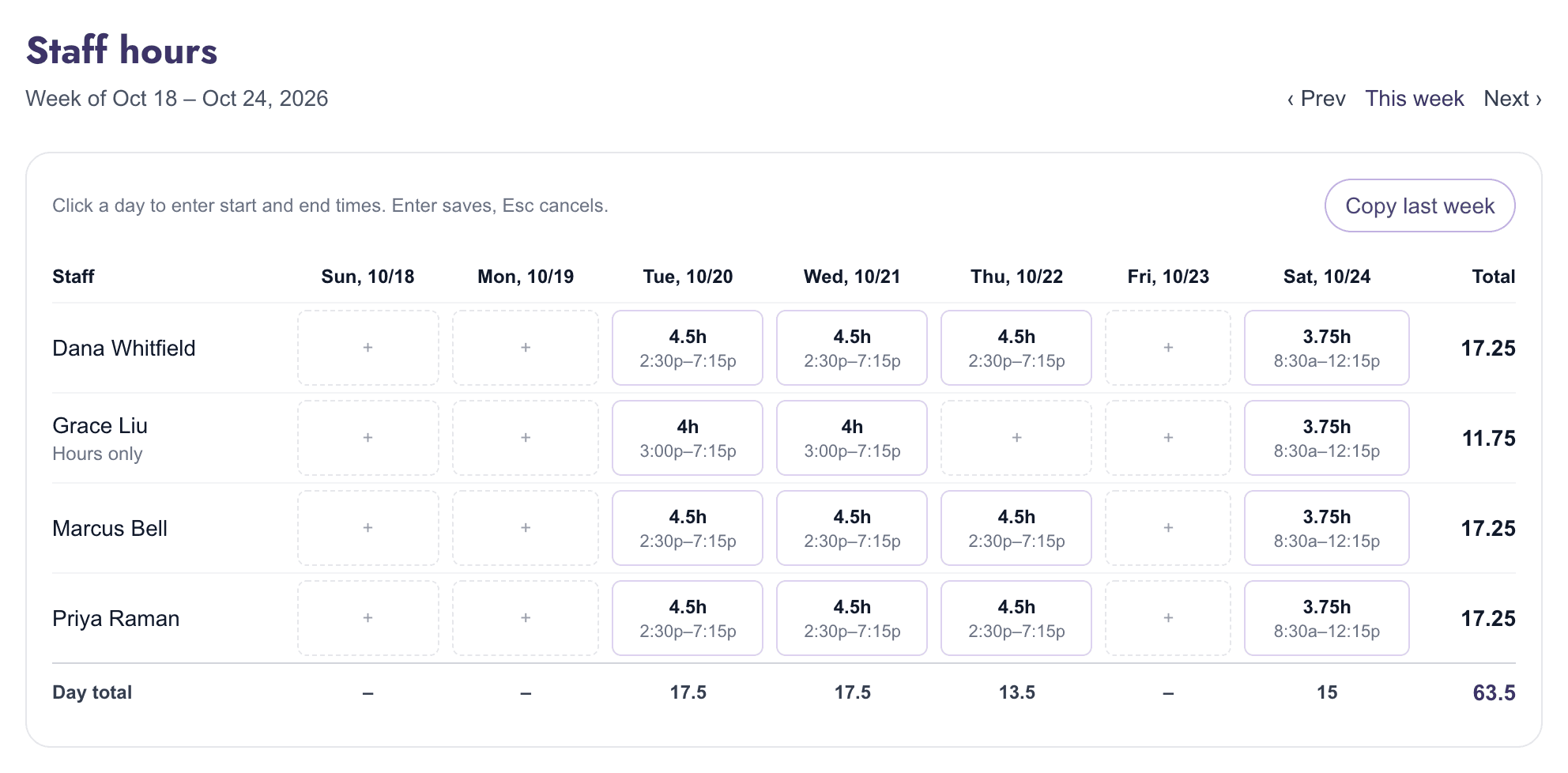
Staff accounts and a simple timesheet
Invite admins and instructors with their own sign-ins and roles. Track everyone's hours on a weekly timesheet, including helpers who never need to sign in.
- Admin and instructor roles
- Click a day to enter hours; copy last week in one step
- Weekly and monthly totals per person
Built to be trusted with your families' data
Private to your center
Each center sees only its own students, staff and records. Separation is built into how every record is stored, not just hidden on screen.
Secure staff sign-in
Staff-only access with password reset, admin and instructor roles, and a record of who changed what.
Nothing to install
Runs in any modern web browser at the front desk or in the office, hosted on Google Cloud.
Screenshots show a demo center; all student and family names are fictional.
See it with your own center in mind
Write to us and we'll walk you through a live demo and help you get your team started.
Request a demoEmail solutions@tannitechnologies.com · acelearningacademy.app/tour